
 All vikis
 Aion 2
 Ananta
 ARC Raiders
 ArcheAge Chronicles
 Call of Duty: Modern Warfare 4
 Chrono Odyssey
 Civilization 3
 Civilization 4
 Crimson Desert
 Deadlock
 Diablo 4
 Diablo 5
 Enshrouded
 Fable
Fable Final Fantasy Resonance
 Football Manager 27
 Grand Theft Auto 6
 Heroes of Might and Magic 3
 Heroes of Might and Magic: Olden Era
 Kingdom Come: Deliverance 2
 Path of Exile 2
 Phantom Blade Zero
 Probably Stolen
 Slay the Spire 2
Tomb Raider Beginner Tips
The best Tomb Raider beginner tips for the 1996 game are to save often in several slots, hold Walk near edges, count jumps in grid squares, keep medi packs for emergencies and rely on the unlimited-ammo pistols. Legacy of Atlantis tips so far come only from its makers and preview builds.
The most useful tips for Tomb Raider (1996) are to save often and in more than one slot, hold Walk whenever Lara is near an edge, read every jump as one or two grid squares, keep medi packs for real emergencies, and use the pistols, which never run out of ammo. The classic games have no checkpoints, no objective markers and no autosave, so most frustration comes from losing progress or getting lost, not from enemies. The tips below hold for the original and for Tomb Raider I-III Remastered, with the remaster's extras noted. For Tomb Raider: Legacy of Atlantis, out Feb 12, 2027, only what its makers and preview builds have shown is known, and that is at the end. The clip shows Tomb Raider I-III Remastered.
Quick facts
| Autosave | None in the classic games; manual save slots only |
| Saving on PC | Unlimited, anywhere |
| Saving on PlayStation and Saturn (1996) | Only at save crystals |
| Pistols | Unlimited ammo |
| Standing jump | About 1 grid square |
| Running jump | About 2 grid squares |
| Secrets per level | 1 to 5 |
| Training level | Lara's Home |
Sources: Crystal Dynamics, Sep 6, 2024; Stella's Tomb Raider Site, TR1 Controls & Gameplay and Game Info, Nov 1, 2026.
Play Lara's Home first
Start with Lara's Home, the training level opened from the Polaroid photo on the main menu. It is Croft Manor, a safe place where Lara demonstrates each move, Crystal Dynamics says, and nothing there can kill her the way the Caves can. The full move list is on Controls and Movement. The clip shows the original 1996 game.
Save often, in several slots
The classic games keep no autosave and no checkpoints, only a fixed number of manual slots. On PC and Mac the 1996 game lets you save anywhere, as often as you like; on PlayStation and Saturn you must pick up a save crystal for each save. Crystal Dynamics' own warning is that a save can be made at any moment, even in mid-fall, so never overwrite your only good save. Rotate between two or three slots, and save before every jump you are unsure of. The clip shows Tomb Raider I-III Remastered.
In the Remastered collection, the passport menu adds Restart Level, which restarts the level Lara died in, a lifesaver when your last save is from an earlier level. Its New Game+, unlocked after one playthrough, removes medi packs, toughens enemies and allows saving only at blue save crystals, so it is for a second run.
Hold Walk near edges
Walk (Shift on PC, R1 on PlayStation) is the button that keeps Lara alive. Held down, it stops her from walking off an edge, and it lets her pass spikes, glass and barbed wire without damage. Walk up to every ledge, then let go of Walk only to jump. In the original controls, Up runs, Down hops back, and Left and Right turn her on the spot; sidestep has its own buttons.
Count jumps in squares
The levels are built on a grid, which is why the old jumps are precise once you see it. A standing jump covers about one square and a running jump about two. Line Lara up square to the edge, hop back once before a running jump to get a full run-up, and press Action during the jump to grab a ledge you cannot land on. Crystal Dynamics says the precise tank controls take patience and many attempts, but they are what make the platforming exact. Pushable blocks also move in fixed grid steps, so count before you push one into a corner. The clip shows the original 1996 game.
Choose your controls
Tomb Raider I-III Remastered offers classic or modern controls. The modern scheme feels like a current game, but Kotaku found it drops sidestep and turning on the spot, which the levels were designed around. Crystal Dynamics says players used to one scheme may need time to adjust to the other, and that the modern scheme allows moves the tank controls cannot. Try both in Lara's Home before the Caves; if precise jumps keep going wrong, switch to classic. The clip shows Tomb Raider I-III Remastered.
Use the pistols and save the rest
Lara's dual pistols have unlimited ammo in the first five games; every other gun uses ammo you find. Use the pistols on wolves, bats and most animals, and keep the shotgun, magnums and Uzis for the tough fights: the bear, the T-Rex, the centaurs and Natla's henchmen. The shotgun turns up in The Lost Valley, on a ledge across the first bridge, and the magnums are a secret in Colosseum. Where every gun is, and what to do if you miss one, is on Weapons. The clip shows the original 1996 game.
In a fight, keep moving rather than standing still to trade blows, and back away from charging animals while you fire. The clip shows the original 1996 game.
Keep medi packs for emergencies
Medi packs, small and large, are how Lara heals in the 1996 game, and they are found only in the levels. Use a small one when health is low and a large one when it is nearly gone, and never use one at full health out of habit. Many of the extra medi packs are hidden in Secrets.
Look for secrets, but do not chase them
Each level has between 1 and 5 secrets, marked by a chime when you find one. They hold ammo, medi packs and sometimes a weapon, and the end-of-level statistics show how many you found. There is no bonus for finding them all, so a first-timer can let them go. Stella's Tomb Raider Site gives the per-level counts; adding them up comes to 45 in the 15 main levels, our sum of her figures. The clip shows the original 1996 game.
Find your own way
The classic games have no pointers or objective markers. When stuck, look up and around: the way on is often a ledge high in a room, a lever in a dark corner, or a block to push. The 1996 game has the compass, introduced in the series there, and no vehicles. Crystal Dynamics adds that quitting halfway through a large level makes it disorienting to return to, so try to stop at the end of one. The level guides start at Tomb Raider Levels. The clip shows Tomb Raider I-III Remastered.
Tips for Legacy of Atlantis
These come only from the makers and from press who played pre-release builds; the game is not out until Feb 12, 2027, and none of it is checked against the final version.
- Turn on the guidance you want. Puzzle hints come from Lara's remarks and an optional scanner, and the makers say "All scanner hints are optional". Puzzle and combat difficulty are set separately.
- Sprint before big gaps. Large gaps need a sprint first, then what the makers call "a saving grab". Kotaku's Summer Game Fest preview noted that the demo never taught the sprint-jump.
- Dodge to build Focus. Dodges build Focus, more for well-timed ones, and Focus Mode spends it on an acrobatic slow-motion move, per Crystal Dynamics' combat article.
- Watch the last wolf. Packs of wolves and raptors change behavior as they shrink, and the last one goes "berserk".
- Do not plan to shoot the T-Rex down. The T-Rex is now a chase across the level; the makers say "simply shooting it just won't work".
- Gather herbs. Healing is crafted from herbs rather than found as medi packs, per The Sixth Axis' Gamescom preview.
- The pistols are enough. Design director Jason Epps told GamesRadar+ players can keep the dual pistols the entire way.
The full list of changes is on What's New in Legacy of Atlantis, and press impressions on Legacy of Atlantis Previews.
Frequently asked questions
How do you save in Tomb Raider 1? On PC and Mac, Tomb Raider (1996) lets you save anywhere from the menu as often as you like; on PlayStation and Saturn you save at save crystals; there is no autosave in either.
How do you not fall off edges in Tomb Raider? Hold Walk (Shift on PC, R1 on PlayStation) near any edge in Tomb Raider; Lara will stop at the edge instead of walking off it.
How far can Lara jump in Tomb Raider? In the classic Tomb Raider games a standing jump covers about one grid square and a running jump about two, by Stella's Tomb Raider Site.
Do the pistols run out of ammo in Tomb Raider? No. Lara's dual pistols have unlimited ammo in the first five Tomb Raider games; every other weapon needs ammo found in the levels.
Should I use modern or classic controls in Tomb Raider Remastered? Try both in Lara's Home; Tomb Raider I-III Remastered's modern controls feel current but lack sidestep and turning on the spot, so players who want exact jumps often prefer classic.
Is there a hint system in Tomb Raider: Legacy of Atlantis? Yes. Tomb Raider: Legacy of Atlantis gives puzzle hints through Lara's remarks and an optional scanner, all optional, with separate puzzle and combat difficulty, per its makers before its Feb 12, 2027 launch.
Sources
- 10 Things You Need to Know Before Playing Classic Era Tomb Raider, Crystal Dynamics, Sep 6, 2024
- Everything you Need to Know about Tomb Raider I-III Remastered, Crystal Dynamics, Feb 8, 2024
- TR1 Controls & Gameplay, Stella's Tomb Raider Site, read Nov 1, 2026
- Tomb Raider Remastered Game Info and Walkthrough, Stella's Tomb Raider Site, read Nov 1, 2026
- Training Level: Lara's Home, Stella's Tomb Raider Site, read Nov 1, 2026
- 10 Remaster Details You Might Have Missed, Crystal Dynamics, Feb 19, 2024
- Tomb Raider I-III Remastered: The Kotaku Review, Kotaku (John Walker), Feb 13, 2024
- Tomb Raider: Legacy Of Atlantis Hands-On: An Awkward Marriage Of Past And Present, Kotaku (Kenneth Shepard), Jun 11, 2026
- Puzzles Reimagined, Amazon Game Studios, Aug 3, 2026
- Traversal & Movement Reimagined, Amazon Game Studios, Jul 20, 2026
- Combat Reimagined, Amazon Game Studios, Aug 17, 2026
- Creatures of Peru, Amazon Game Studios, Jul 6, 2026
- Tomb Raider: Legacy of Atlantis hands-on report, PlayStation Blog (Phil Hornshaw), Jun 11, 2026
- Tomb Raider: Legacy of Atlantis Preview, Reimagining the Sword of Damocles, The Sixth Axis (Stefan L), Sep 2, 2026
- Tomb Raider: Legacy of Atlantis includes crafting and skill trees, GamesRadar+ (Scott McCrae), Aug 18, 2026
- Tomb Raider: Legacy of Atlantis, Steam, read Nov 1, 2026
- Tomb Raider 1-3 Remastered - PlayStation/Xbox/PC/Steam Deck/Switch - Digital Foundry Tech Review, Digital Foundry, Feb 13, 2024 (video)
- Was it Good? - Tomb Raider 1, Josh Strife Plays, Jan 22, 2022 (video)
- Tomb Raider 1-3 Remastered - Before You Buy, gameranx, Feb 14, 2024 (video)
- History of Tomb Raider (1996 - 2018), Nick930, Sep 7, 2018 (video)
- Tomb Raider 1-3 Remastered Review - The Final Verdict, GamingBolt, Feb 14, 2024 (video)
Moments
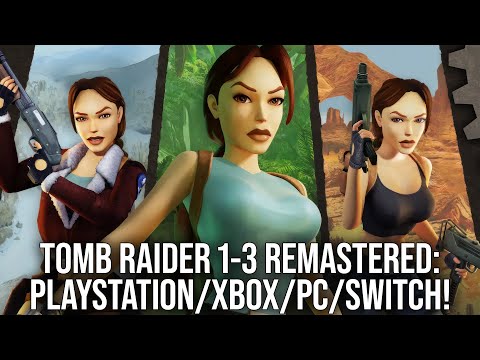
Tomb Raider 1-3 Remastered - PlayStation/Xbox/PC/Steam Deck/Switch - Digital Foundry Tech Review
Digital Foundry
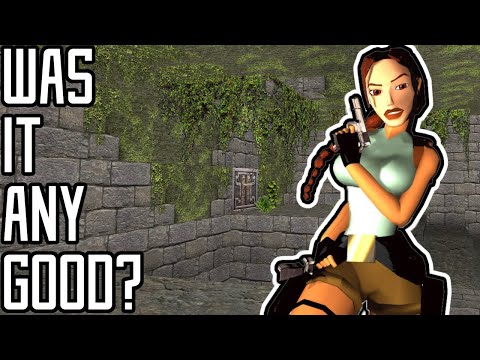
Was it Good? - Tomb Raider 1
Josh Strife Plays
Tomb Raider 1-3 Remastered - Before You Buy
gameranx
History of Tomb Raider (1996 - 2018)
Nick930
- The levels are built on a grid, which is why the old jumps are precise once you see it. A standing jump covers about…
- Lara's dual pistols have unlimited ammo in the first five games; every other gun uses ammo you find. Use the pistols…
- In a fight, keep moving rather than standing still to trade blows, and back away from charging animals while you fire…
- Each level has between 1 and 5 secrets, marked by a chime when you find one. They hold ammo, medi packs and sometimes…
Tomb Raider 1-3 Remastered Review - The Final Verdict
GamingBolt
Related
-
 How Long to Beat Tomb RaiderTomb Raider (1996) takes about 15.5 hours to beat on HowLongToBeat, or 20.5 hours to find everything. The shortest main game is Tomb Raider: Legend at 7 hours and the longest is Tomb Raider 3 at 20.5; Legacy of Atlantis has no figures before its Feb 12, 2027 launch.
-
 SecretsThe 1996 Tomb Raider has 45 secrets across its 15 levels, counting Stella's per-level figures for the Remastered version, from 1 to 5 per level, plus 10 in Unfinished Business. Secrets hold ammunition, medi packs and sometimes a weapon, and the original gives no reward for finding them all.
-
 Tomb Raider Games in OrderThe Tomb Raider games in release order run from Tomb Raider (1996) through Shadow of the Tomb Raider (2018), the Remastered collections of 2024 and 2025, and Tomb Raider: Legacy of Atlantis on Feb 12, 2027, with Catalyst after it. In story order the Survivor trilogy comes first, then the 1996 adventure.
-
Where to Buy Tomb Raider GamesEvery main Tomb Raider game from 1996 to 2018 is sold on Steam, and the six Core Design games are also in Tomb Raider I-III Remastered and IV-VI Remastered on PlayStation, Xbox, Switch, Steam, Epic and GOG. Legacy of Atlantis is on pre-order for PS5, Xbox Series X|S, Switch 2 and Steam.
-
Where to Start with Tomb RaiderStart Tomb Raider with Tomb Raider (2013) for the modern Lara, with Tomb Raider I-III Remastered for the classic 1996 game, or with Tomb Raider: Legend for the middle era. From Feb 12, 2027, Tomb Raider: Legacy of Atlantis is a fourth door: a modern retelling of the first adventure.
-
Jacqueline NatlaJacqueline Natla is the villain of the 1996 Tomb Raider, an Atlantean ruler posing as a businesswoman who hires Lara to find the Scion. In Tomb Raider: Legacy of Atlantis she is the CEO of Natla Technologies, played by Adrienne Wilkinson.
-
-
 Lara Croft Voice ActorsAlix Wilton Regan voices Lara Croft in Tomb Raider: Legacy of Atlantis and Catalyst. Before her, Lara was voiced by Shelley Blond, Judith Gibbins, Jonell Elliott, Keeley Hawes and Camilla Luddington, and by Hayley Atwell in Netflix's animated series.
See also
-
Tomb Raider (1996)Tomb Raider (1996) is the first Tomb Raider game, made by Core Design in Derby and published by Eidos Interactive in late 1996 on Sega Saturn, PlayStation and PC. Lara Croft hunts the Scion across 15 levels in Peru, Greece, Egypt and Atlantis; it sold over 7 million copies.
-
Tomb Raider I-III RemasteredTomb Raider I-III Remastered is Aspyr's Feb 14, 2024 collection of the first three Tomb Raider games and their expansions, with new graphics you can switch off at any time, modern or classic controls and a photo mode. It scored 75 on Metacritic for PS5; a Challenge Mode came on Mar 12, 2026.
-
-
Lara's HomeLara's Home is the optional training level of the 1996 Tomb Raider, set in Croft Manor, where Lara's own voice teaches jumping, swan dives, ledge grabs, shimmying and swimming in her music room, hall, ballroom gym and pool. It has no enemies and no secrets.
-
Controls and MovementThe 1996 Tomb Raider uses tank controls on a grid of blocks: Up runs forward, Left and Right turn Lara in place, and jumps cover set distances. Tomb Raider I-III Remastered adds modern controls, and Legacy of Atlantis replaces the grid with sprinting, a grapple and Survivor-style climbing.
-